Upper Michigan Family Road Trip

Planning

A 3-day family road trip to the Upper Peninsula of Michigan — waterfalls, Pictured Rocks, Lake Superior beaches, and more.
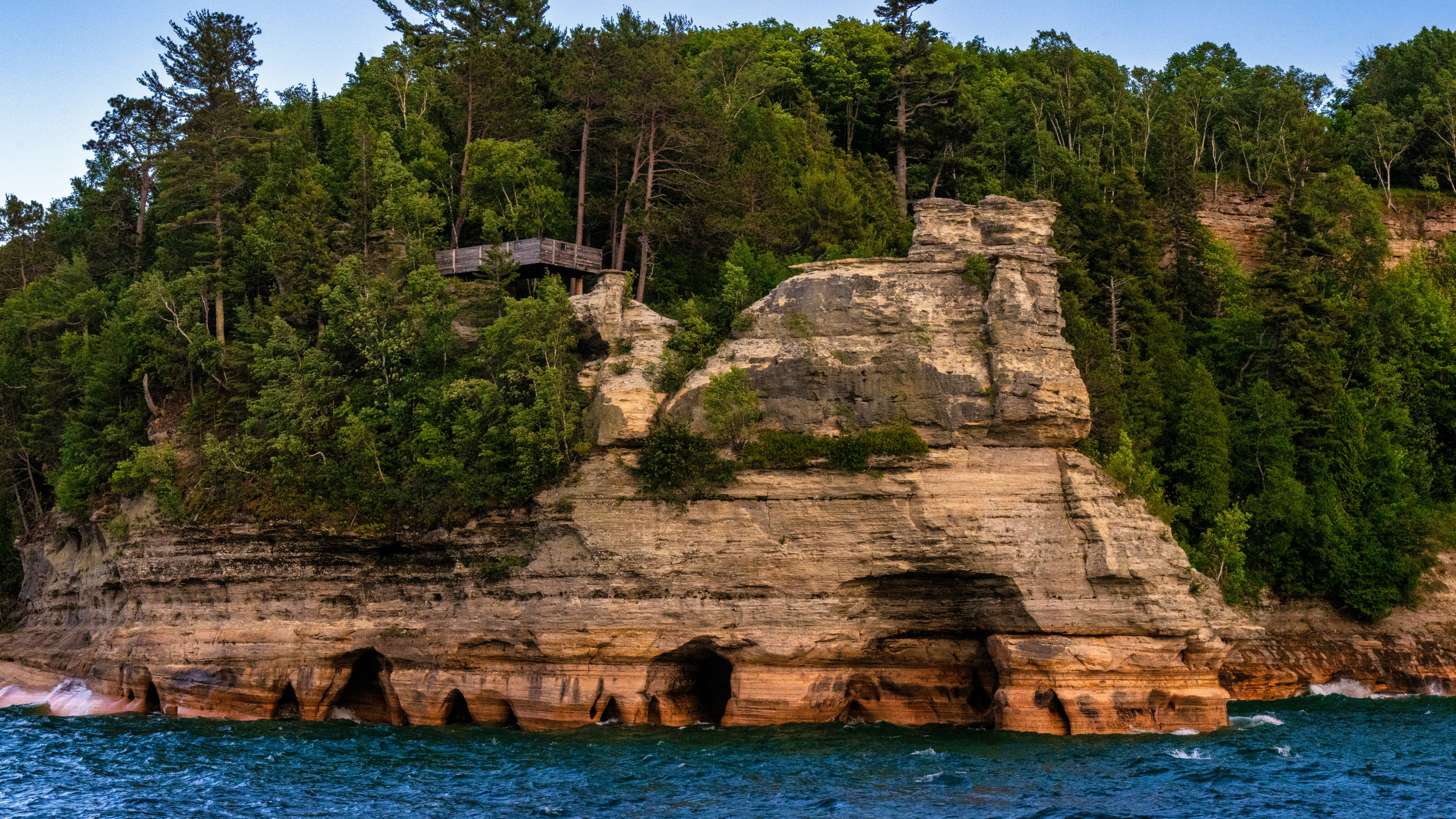

The Upper Peninsula of Michigan is one of those hidden gems that feels worlds away from the suburbs. Planning a 3-day family trip (family of 4) from Farmington, MI — can’t wait to explore it.

Best time to go: Mid-July to Mid-August


Day 1 — Drive Up & Waterfalls

Farmington → Munising · ~5 hour drive

7:00 AM — Depart Farmington Hit the road early to make the most of the day. Pack snacks and charge the tablets!

1:00 PM — Kitch-iti-kipi Big Spring Michigan’s largest natural spring — crystal clear water with a self-operated raft that kids absolutely love. Open 8AM–10PM. (~1 hour stop)

3:30 PM — Tahquamenon Falls State Park One of Michigan’s most iconic waterfalls. Stick to the Lower Falls — flat boardwalk, very manageable for little ones. Open 6AM–10PM. (~1.5 hour stop)

6:30 PM — Check In: AmericInn by Wyndham, Wetmore/Munising Indoor pool, waterslide, hot tub, and free breakfast included. Should be a great stop after the long drive.


Day 2 — Pictured Rocks Day

Lake Superior · Cliffs · Beaches

9:00 AM — Munising Falls Short paved trail to a beautiful waterfall — fully accessible and easy for the whole family. Perfect easy start to the day. (~45 min stop)

11:00 AM — Pictured Rocks Boat Cruise 2.5 hours on Lake Superior cruising past the stunning colorful sandstone cliffs. Absolutely breathtaking. Dress in layers — it gets windy on the water!

⚠️ Book ahead at picturedrocks.com — sells out fast!

2:00 PM — Lunch in Munising Grab food in town before the afternoon beach session.

3:00 PM — Miners Beach Right on Lake Superior — stunning views, great rock collecting for the kids. Note: the water is very cold even in summer! (~1.5 hour stop)

6:00 PM — Back to AmericInn Dinner and pool time. The kids will have earned it!


Day 3 — H-58 Scenic Drive & Head Home

Waterfalls · Dunes · Lake Superior · Back to Farmington

8:00 AM — Free Breakfast at Hotel Fuel up before checkout. It’s included — don’t skip it!

9:30 AM — Miners Falls Trail ~1 mile round trip, kid-friendly trail through the forest to a beautiful waterfall. Quick and rewarding before the drive. (~1 hour stop)

11:00 AM — H-58 Scenic Drive East Drive east from Munising along this stunning Lake Superior coastal route through Pictured Rocks National Lakeshore.

11:30 AM — Lake Superior Overlook Stunning views over Lake Superior with beach access, restrooms, and great rock hunting for the kids. Quiet and peaceful. (~30 min stop)

12:15 PM — Log Slide Overlook / Grand Sable Dunes 175-foot views over Lake Superior and the massive Grand Sable Dunes — short walk from the parking lot, huge wow factor. Kids can climb the dune! (~45 min stop)

1:30 PM — Head South to Farmington Grab lunch in Munising before hitting the road. ~5 hour drive home. Back before bedtime!


Planned Stay

AmericInn by Wyndham — Wetmore/Munising 2 nights · Book at wyndhamhotels.com

Perks: indoor pool + waterslide, hot tub & sauna, free breakfast, close to all stops. Book early — it fills up in summer.


Good to Know

🎫 Michigan Recreation Passport — ~$17, required for state park entry. You’ll use it multiple times. Buy when renewing plate tabs or at the gate.

⛵ Book the Boat Cruise Early — Pictured Rocks cruise sells out fast in summer. Book as early as possible.

🧊 Lake Superior is COLD — Even in mid-summer. Great for wading and rock collecting — but not swimming for little ones.

📵 Download Offline Maps — Cell service is spotty throughout the UP. Download Google Maps or AllTrails offline before you leave.

💵 Bring Cash — Some UP spots are unreliable on card readers.

🌡️ Layer Up — UP weather is unpredictable. Warm on shore, cold on the boat. Bring layers and light rain jackets.


Packing List

Clothing: layers for everyone, light rain jackets, trail shoes, extra socks, swimsuits for the hotel pool

Outdoors: sunscreen, bug spray, small day backpack, reusable water bottles, trail snacks

Kids: carrier for little ones, extra change of clothes, rock collecting bag, tablets + headphones

Car & Misc: car snacks & drinks, portable charger, first aid kit, camera, cash, Recreation Passport


Action Items Before You Go

  • Book Pictured Rocks Boat Cruise at picturedrocks.com
  • Book AmericInn Wetmore/Munising (2 nights)
  • Get Michigan Recreation Passport (~$17)
  • Download offline maps (Google Maps + AllTrails)
  • Pack & load car the night before

A Smart Terminal

iTerm2 is a terminal emulator for macOS that does amazing things which default terminal can't do.
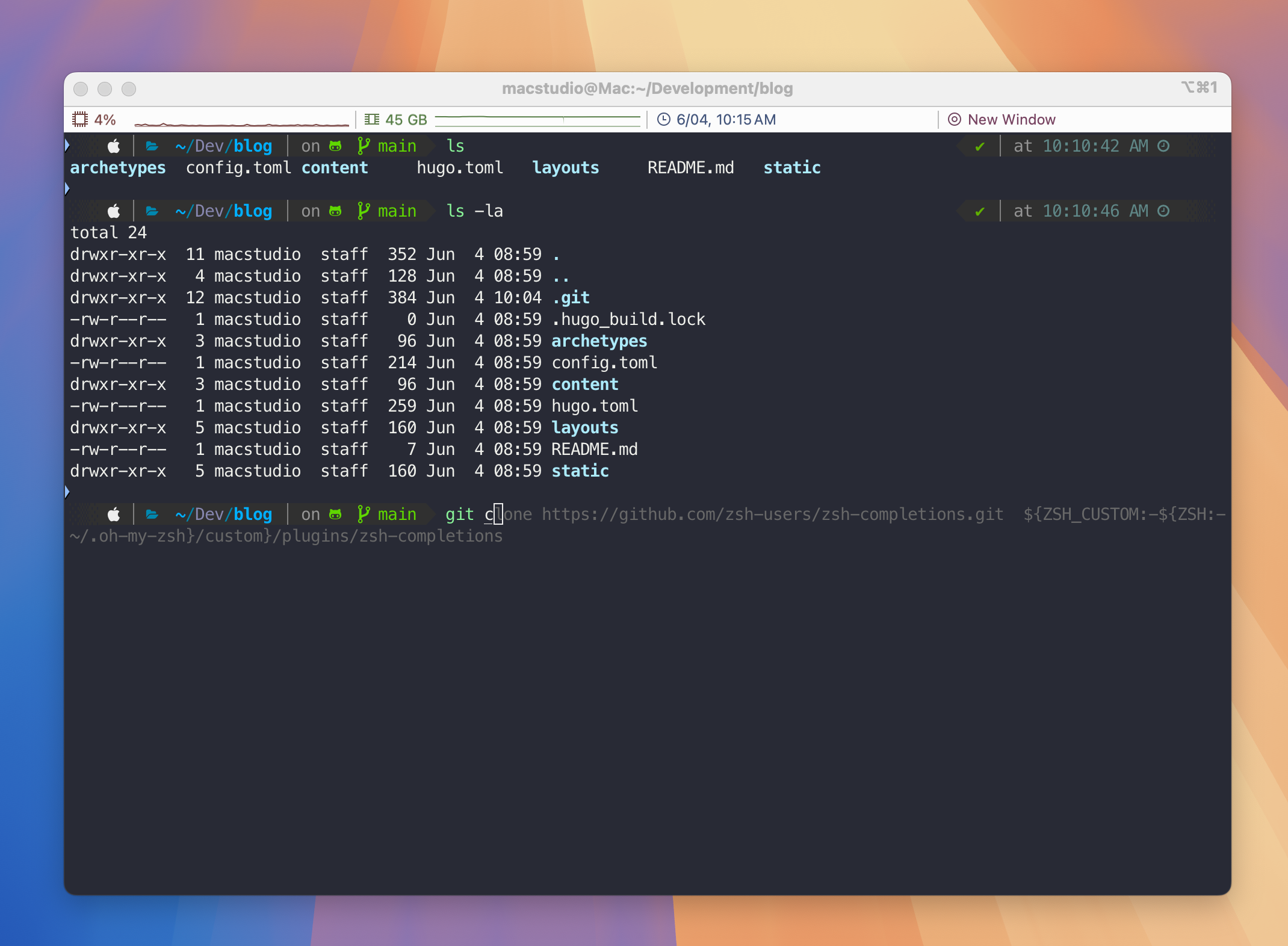
For developers who spend countless hours in the terminal, having a powerful and customizable environment is essential. iTerm2 is available for all Apple platforms transforms the standard terminal experience with features that boost productivity and make command-line work more enjoyable.

New Look
Old Look
New Look
Old Look

Key Features

iTerm2 offers several advantages over the default macOS Terminal:

  • Split-pane views for multiple terminal sessions
  • Robust search functionality
  • Command history and autocomplete
  • Custom color schemes and themes
  • Integrated password manager
  • SSH connection manager
  • Customizable keyboard shortcuts

Installation Guide

Prerequisites

First, install Homebrew - The Package Manager for macOS:

bash /bin/bash -c "$(curl -fsSL [https://raw.githubusercontent.com/Homebrew/install/HEAD/install.sh](https://raw.githubusercontent.com/Homebrew/install/HEAD/install.sh))"

Follow the post-installation instructions to add Homebrew to your PATH.

Core Components

  1. Install iTerm2:
brew install --cask iterm2
  1. Install Oh My Zsh for terminal customization:
sh -c "$(curl -fsSL https://raw.githubusercontent.com/ohmyzsh/ohmyzsh/master/tools/install.sh)"
  1. Install Powerlevel10k Theme:
git clone --depth=1 https://github.com/romkatv/powerlevel10k.git "${ZSH_CUSTOM:-$HOME/.oh-my-zsh/custom}/themes/powerlevel10k"
  1. Download and install SourceCodePro font from here

  2. Download Snazzy.itermcolors theme

Configuration

Theme Setup

  1. Open iTerm2 Preferences (Cmd + ,)
  2. Navigate to Profiles → Colors
  3. Click “Color Presets” → Import
  4. Select downloaded Snazzy.itermcolors

Font Configuration

  1. Open iTerm2 Preferences
  2. Go to Profiles → Text
  3. Select “SourceCodePro” as Font Family
  4. Set font size to 12-14pt

Powerlevel10k Setup

  1. Edit your .zshrc:
ZSH_THEME="powerlevel10k/powerlevel10k"
  1. Restart iTerm2 and follow the configuration wizard

Essential Plugins

Auto-Suggestions

Install the plugin:

git clone https://github.com/zsh-users/zsh-autosuggestions ${ZSH_CUSTOM:-~/-oh-my-zsh/custom}/plugins/zsh-autosuggestions

Add to your .zshrc:

plugins=(
          git
          zsh-autosuggestions
        ) 

Syntax Highlighting

git clone https://github.com/zsh-users/zsh-syntax-highlighting.git  ${ZSH_CUSTOM:-${ZSH:-~/.oh-my-zsh}/custom}/plugins/zsh-syntax-highlighting
echo "source ${ZSH:-~/.oh-my-zsh}/custom/plugins/zsh-syntax-highlighting/zsh-syntax-highlighting.zsh" >> ${ZDOTDIR:-$HOME}/.zshrc

ZSH Completions

git clone https://github.com/zsh-users/zsh-completions.git  ${ZSH_CUSTOM:-${ZSH:-~/.oh-my-zsh}/custom}/plugins/zsh-completions

fpath+=${ZSH_CUSTOM:-${ZSH:-~/.oh-my-zsh}/custom}/plugins/zsh-completions/src
autoload -U compinit && compinit
source "$ZSH/oh-my-zsh.sh"

Keyboard Shortcuts

  • Split Pane Horizontally: Cmd + Shift + D
  • Split Pane Vertically: Cmd + D
  • Navigate Panes: Cmd + [Arrow Keys]
  • Search: Cmd + F
  • Clear Buffer: Cmd + K
  • Full Screen: Cmd + Enter

Troubleshooting

Common Issues

  1. Font Icons Not Showing

    • Verify font installation
    • Restart iTerm2
    • Check font settings in preferences
  2. Plugin Not Working

    • Verify plugin installation path
    • Check .zshrc configuration
    • Run source ~/.zshrc
  3. Theme Issues

    • Ensure Powerlevel10k is properly installed
    • Run p10k configure to reconfigure

For additional help, visit: